Is Live Video Chat Safe for Online Dating?

Is live video chat safe for online dating? It can help you decide whether you enjoy talking to someone, but it is not an identity check or a guarantee of safety. The practical risks are what your camera reveals, what someone can save, which links you open, and whether a friendly call persuades you to ignore your boundaries.
This guide focuses on protecting a dating video call before, during and after it. For interpreting suspicious behaviour, use video chat red flags. For account, money and first-meeting precautions in later-life dating, see online dating safety after 50.
What Video Can Show and What It Cannot Verify
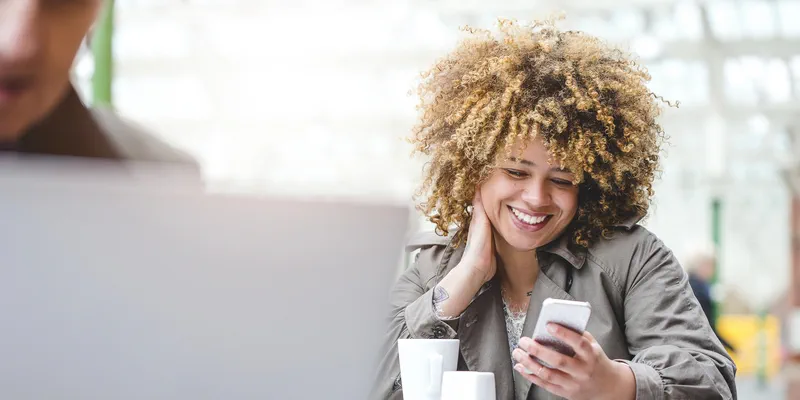
A call adds voice, timing and reactions to a text conversation. You may discover that you talk comfortably, need a slower speaking pace, or do not wish to continue. None of those observations proves someone's name, current residence, relationship status or reasons for contacting you.
A person appearing on camera can still mislead you. Do not turn a smooth conversation into permission to send money or disclose documents. Equally, an awkward pause, poor connection or camera refusal is not enough to label someone a scammer. You can choose not to proceed without trying to investigate a stranger.
Trust develops through decisions and respected boundaries over time. The separate guide to building trust in online dating covers that relationship process; here, the focus is the exposure created by the call itself.
Can Someone Record Your Video Date?
Plan as though they could. A missing recording button does not prevent screen-capture software or filming a screen with another device. An agreement not to record is a boundary worth stating, but it is not a technical barrier.
Keep the first call non-intimate. Do not display identity documents to prove that you are real, and do not ask your date to do so. If recording would make a topic uncomfortable, postpone it or choose another format. Consent to appear on camera is not consent to have the footage shared.
Do not secretly record a date as your own verification method. Recording laws vary, and preserving threatening messages is different from collecting private footage of an ordinary conversation.
A Privacy Checklist Before Turning On Your Camera

- Check the preview for letters, delivery labels, family photographs and work documents.
- Close private windows and hide notification previews that could reveal messages or account codes.
- Use a private device you control rather than a shared work screen or public computer.
- Check which website or app has camera and microphone access. Remove permissions you no longer need.
- Choose a setting where others cannot overhear private conversation.
- Keep a clear way to end the call without negotiating your decision.
A blurred background can reduce visible detail, but do not rely on it to conceal sensitive material. Move documents away rather than hoping software will hide them. Avoid revealing your precise address, an empty-home schedule or workplace location just because the conversation feels informal.
For the invitation and setup sequence, use starting a first live video chat. These privacy checks are separate from choosing topics or making a good first impression.
Call Links, Screen Sharing and Technical Help
Open the service through its known address or installed app rather than an unexpected message claiming you must reconnect. Pause if someone asks you to download a plugin, install remote-access software or sign in through an unfamiliar page. Do not disclose passwords, payment-card details or one-time login codes to get a date's camera working.
An ordinary dating conversation does not need screen sharing. Decline requests to show your banking screen, payment history or account dashboard. Someone claiming to be support during a private call has not established that they work for the platform. Contact support through the service's own published route.
| Request during a call | A protective response |
|---|---|
| Show an ID card on camera | Decline; use any official verification process only through the service itself. |
| Install software to repair a connection | End the session and troubleshoot through the known app or official support. |
| Read out a login or payment code | Keep it private; a date does not need account access. |
| Continue despite discomfort | End the call. You do not need permission to leave. |
What to Check in a Video Dating Platform
Look for accessible reporting and blocking options, a clear privacy policy, published support contacts and an explanation of any verification process. Check what the service says about collecting or retaining call data rather than assuming all video products work alike.
Do not infer end-to-end encryption, recording prevention or fraud protection from a general claim that a platform is moderated. Moderation can provide a reporting route, but cannot control another participant's device or guarantee their intentions. Staying on-platform may preserve access to its tools; it does not make every interaction safe.
For LadaDate's communication route and access information, see live video chat on LadaDate. Check current conditions before starting a paid session. This guide does not certify any platform as risk-free.
If Private Information Appears During a Call
End screen sharing or move the camera immediately. Then identify what was exposed. A visible first name requires a different response from a password, payment-card number or recovery code. Change compromised credentials through the official service and review account access. Contact your bank or payment provider promptly if financial information was revealed.
Save relevant messages, usernames, profile links and times before blocking if you can do so safely. Report the specific event rather than seeking more proof through another call. Do not publish someone else's personal information or continue a threatening exchange to test whether it is real.
If a Recording Becomes Blackmail
Do not pay, send more intimate material or bargain for deletion. Preserve the threats and account information, report the account, and seek appropriate help. You do not have to manage this alone or prove that you behaved perfectly before asking for support.
The eSafety guidance on image-based abuse explains threats involving intimate images and provides routes to support, including help outside Australia. The FTC romance-scam guide covers money requests and reporting. Use the reporting authority appropriate to your location.
Keep the Next Step Separate From the Safety Check
A pleasant call does not create an obligation to make another, share private photos or arrange travel. You can say, "I enjoyed talking, but I keep personal documents and financial matters separate." A respectful next step leaves both people free to decide.
For formats, preparation and arranging a date, continue to the video dating guide. Video helps you communicate; privacy controls and boundaries limit what you expose.
Frequently Asked Questions About Live Video Chat Safety
Is live video chat safe for online dating?
No call is risk-free. Protect your account, surroundings and personal information, and assume the other participant could record the screen. Video does not verify intentions or make a money request safe.
Can someone record a dating video call?
Yes. Another device or screen-recording software may capture the call even without an in-app recording button. Do not show anything you could not tolerate being saved or shared.
Does live video prove someone is genuine?
No. It adds context but does not establish legal identity, relationship status or financial intentions. A natural conversation is not a security check.
What should I hide before a video date?
Remove mail, identity documents, work screens and location clues. Close private tabs, hide notification previews, and keep account codes and financial details private.
Is refusing video proof of a scam?
No. Privacy, accessibility, language and connection issues may affect willingness to call. You can decline to continue without accusing someone. Threats and money demands require a different response.
What if someone threatens to share a recording?
Stop the call and preserve relevant messages and account details. Do not pay or send more intimate material. Report the account and seek help from the appropriate authority. Contact your payment provider promptly if money was sent.
 Start Live chat
 Send Message